Ecommerce Price Comparison

WooCommerce Bargain Finder Bot

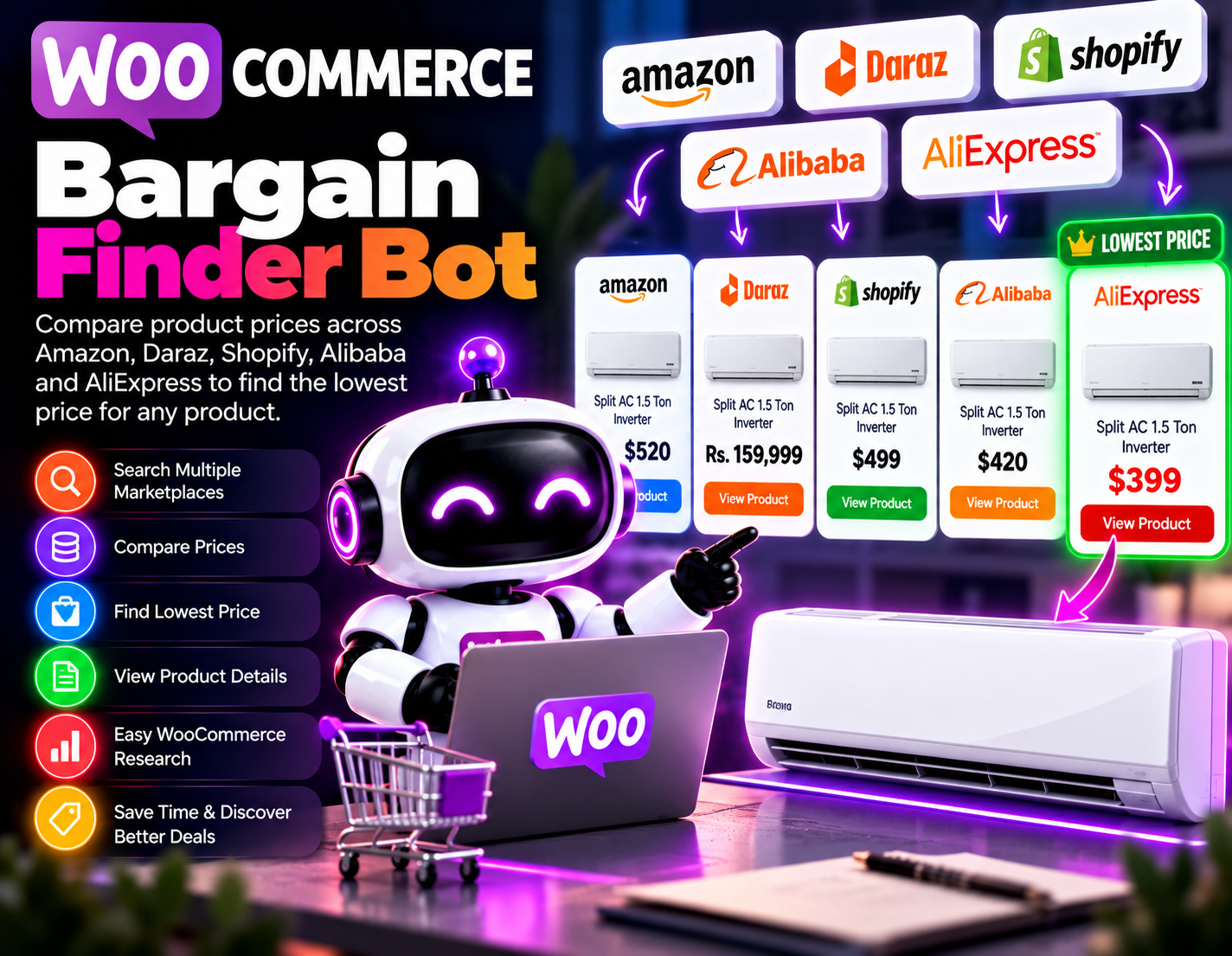
A price comparison bot for WooCommerce that searches selected marketplaces such as Amazon, Daraz, Shopify stores, Alibaba, and AliExpress to find comparable products and identify the lowest available price.
System Ready to run
Platform WooCommerce
Version 1.0.0
WooCommerce Bargain Finder Bot
Product Information

Details

Price
99$
Category
Ecommerce Price Comparison
Platform
WooCommerce
Version
1.0.0
License
Single-Site Commercial License
Updates
Free updates for 6 months
Support
Email Support/Whatdsapp Support
Setup Time
Roughly 5-10 minutes to get running
Requirements
A WooCommerce store and access to the selected marketplace product information that can be legitimately collected and compared.
Output Formats
CSV, Excel (XLSX), JSON
WooCommerce Bargain Finder Bot helps ecommerce businesses research product prices across multiple online marketplaces from a single comparison workflow. Instead of checking different stores manually, users can search for a product and compare available matching listings to identify the lowest observed price. The bot is useful when a business wants to understand how the same or comparable product is priced across different marketplaces. For example, a retailer researching an air conditioner can provide the product details, allowing the bot to search selected sources such as Amazon, Daraz, Shopify stores, Alibaba, and AliExpress, collect relevant pricing information, and organize the results for comparison. Price comparison can help ecommerce businesses with purchasing research, product sourcing, competitor research, and pricing decisions. By bringing different listings together, the bot makes it easier to see which marketplace has the lowest available price among the collected results. The comparison process depends on correctly identifying comparable products. Product variations such as model numbers, specifications, sizes, colors, seller conditions, shipping costs, taxes, and availability can affect the actual purchase price. The lowest displayed price should therefore be reviewed alongside the product details before making a purchasing or pricing decision. WooCommerce Bargain Finder Bot is intended to support price research rather than guarantee the absolute lowest price available on the entire internet. Marketplace data can change, listings can become unavailable, and access to particular product information may vary. Results reflect the product information and prices available to the bot at the time of comparison.
Features

What’s included

01

Multi-Marketplace Price Search

Searches selected online marketplaces to collect available pricing information for products that match the requested item.

02

Product Matching

Helps identify comparable product listings so prices can be evaluated against similar products rather than unrelated items.

03

Lowest Price Identification

Compares collected product prices and highlights the lowest observed price among the matching results.

04

WooCommerce Research Support

Provides WooCommerce businesses with a structured workflow for researching marketplace prices before making ecommerce decisions.

05

Marketplace Comparison

Brings available pricing information from selected sources into a comparison view for easier evaluation.

06

Product Detail Comparison

Helps users review available product information alongside pricing so that comparable listings can be evaluated more carefully.

07

Price Research Records

Organizes collected prices and product information into records that can be reviewed for sourcing or pricing research.

08

Bargain Discovery

Helps users quickly identify potentially lower-priced matching products across the marketplaces included in the search.

Workflow

How it works

STEP 1

Enter the Product

Provide the product name or relevant product information for the item you want to research.

STEP 2

Select Marketplaces

Choose the available marketplaces you want to include in the price comparison.

STEP 3

Search Product Listings

The bot searches the selected sources for available listings that appear to match the requested product.

STEP 4

Collect Price Information

Gather the available prices and relevant product details from the matching listings.

STEP 5

Compare the Results

Review the collected listings and compare their prices and product details to identify the lowest observed matching option.

STEP 6

Review the Best Option

Examine the selected listing, product specifications, availability, and other applicable costs before making a purchasing or pricing decision.

Use Cases

Use cases

Ecommerce Product Sourcing

Compare available marketplace prices when researching where products may be sourced at a lower observed price.

WooCommerce Pricing Research

Help store owners research marketplace prices before deciding how products should be priced in their WooCommerce store.

Competitor Price Research

Review comparable marketplace listings to understand the price range for products sold across different online stores.

Product Procurement Research

Compare available listings when researching products for potential purchasing or procurement decisions.

Bargain Product Discovery

Find potentially lower-priced matching products across selected marketplaces without manually checking each source.

Marketplace Price Analysis

Build organized comparisons of product pricing across multiple online marketplaces for ecommerce research.

FAQ

Frequently asked questions

It searches selected marketplaces for comparable products, collects available pricing information, and identifies the lowest observed price among the matching results.
The intended sources include Amazon, Daraz, Shopify stores, Alibaba, and AliExpress, subject to availability and permitted access to their product information.
Yes, it can be used to research an air conditioner or another product across selected marketplaces and identify the lowest observed price among matching listings.
No. It compares the sources available to the bot and cannot guarantee that every online seller or listing has been included.
Not necessarily. Shipping, taxes, seller conditions, product specifications, availability, and variations can affect the actual cost and value of a listing.
Yes. It can help WooCommerce businesses compare marketplace prices when researching product pricing and competitive positioning.
It can compare listings that appear comparable, but users should verify model numbers, specifications, sizes, and other variations before treating two products as equivalent.
No guarantee is made. Marketplace prices and availability can change, so users should verify the final listing before purchasing or changing their store pricing.
Changelog

Version history

Version 1.0.0
2025-05-20
Initial release of this bot.