Web Form Automation

reCAPTCHA Autofill Bot

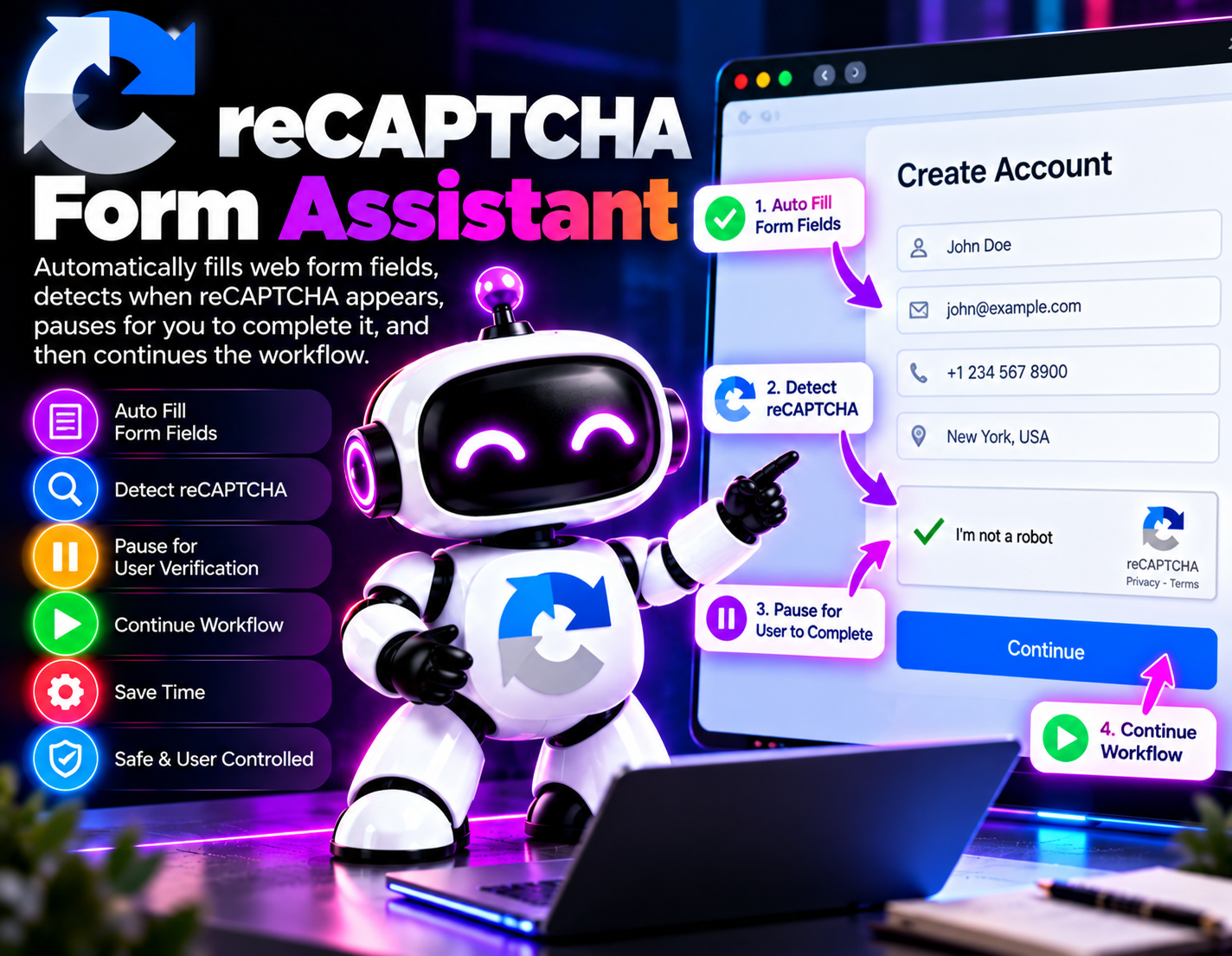
A browser-based form assistant that automatically fills normal web form fields, detects when a reCAPTCHA challenge appears, pauses for the user to complete it, and then continues the permitted workflow.
System Ready to run
Platform Web Browser
Version 1.0.0
reCAPTCHA Autofill Bot
Product Information

Details

Price
79$
Category
Web Form Automation
Platform
Web Browser
Version
1.0.0
License
Recurring
Support
Email Support/Whatdsapp Support
Setup Time
5–10 minutes
Requirements
A supported web browser, access to the forms being used, and user-provided information required to complete those forms.
Output Formats
Completed web form submissions
reCAPTCHA Form Assistant is designed for users who want to reduce repetitive typing when working with web forms while keeping human verification under direct user control. The assistant handles the ordinary form-filling portion of a workflow and recognizes when a reCAPTCHA challenge requires user interaction. Instead of attempting to solve, bypass, or automate the reCAPTCHA challenge, the assistant pauses the workflow when the verification step appears. The user can then complete the challenge themselves. Once the verification step has been completed, the assistant can continue with the permitted form workflow. This approach is useful for repetitive browser-based tasks where the same types of information need to be entered into forms. It separates routine data entry from human verification, allowing the user to remain responsible for the reCAPTCHA portion while reducing unnecessary manual typing elsewhere in the form. The assistant can be used as part of workflows involving ordinary web forms where the user is authorized to provide the requested information. Its purpose is to assist with form completion rather than defeat website security or anti-automation controls. Because reCAPTCHA challenges are intentionally designed to distinguish human interaction from automated activity, this bot does not claim to automatically solve or circumvent them. When a challenge is detected, human completion is required before the workflow proceeds.
Features

What’s included

01

Automatic Form Filling

Fills supported normal web form fields using the information provided for the current workflow.

02

reCAPTCHA Detection

Detects when a reCAPTCHA verification step appears during the form-filling process.

03

Human Verification Pause

Pauses the automated workflow when reCAPTCHA requires user interaction instead of attempting to bypass the verification.

04

Workflow Resume

Continues the permitted form workflow after the user has completed the required verification step.

05

Reduced Manual Typing

Handles routine form-field entry so users do not have to repeatedly enter the same information manually.

06

Form Workflow Assistance

Coordinates ordinary data entry and user verification as separate stages of the same browser workflow.

07

User-Controlled Verification

Keeps the reCAPTCHA interaction with the user rather than attempting to automate or circumvent the security challenge.

08

Permitted Task Continuation

Resumes the form process after verification while keeping the automation focused on authorized and permitted form activity.

Workflow

How it works

STEP 1

Open the Form

Start the browser workflow and open the web form that you are authorized to complete.

STEP 2

Provide Form Data

Supply the information that the assistant should use for the normal fields in the form.

STEP 3

Fill Normal Fields

The assistant enters the provided information into the applicable ordinary form fields.

STEP 4

Detect Verification

The assistant checks the workflow for a reCAPTCHA step and pauses if human verification is required.

STEP 5

Complete reCAPTCHA

The user manually completes the reCAPTCHA challenge presented by the website.

STEP 6

Resume the Workflow

After the verification step is completed, the assistant continues with the remaining permitted form workflow.

Use Cases

Use cases

Repetitive Web Forms

Reduce manual typing when completing recurring forms that require similar information.

Business Data Entry

Assist with routine browser-based data entry while leaving human verification steps to the user.

Registration Forms

Speed up ordinary form-field entry on registration workflows where the user is authorized to submit the information.

Contact Forms

Help populate repetitive contact-form fields while pausing for any reCAPTCHA verification that appears.

Application Workflows

Assist with routine information entry in permitted online application processes without automating human verification.

Routine Browser Tasks

Combine automated form filling with a user-controlled verification pause for browser workflows that occasionally require reCAPTCHA.

FAQ

Frequently asked questions

No. The assistant does not solve or bypass reCAPTCHA. It detects the challenge and pauses so the user can complete the verification.
The form-filling workflow pauses and waits for the user to complete the reCAPTCHA challenge.
Yes. Once the user completes the required verification, the assistant is designed to continue the remaining permitted workflow.
It automates ordinary web form-field entry using the information provided for the workflow. Human verification remains under user control.
No. The bot is designed to work around routine data entry while respecting the reCAPTCHA verification step rather than bypassing it.
Yes. The assistant requires the information needed to populate the normal form fields.
It is intended for permitted browser workflows where the user is authorized to complete and submit the relevant form. Compatibility can depend on the individual website and form.
Not when reCAPTCHA requires human verification. The assistant intentionally pauses at that point and requires the user to complete the challenge before continuing.
Changelog

Version history

Version 1.0
2026-09-24
Initial release of this bot.