Email Automation

Email Parsing & Notification Bot

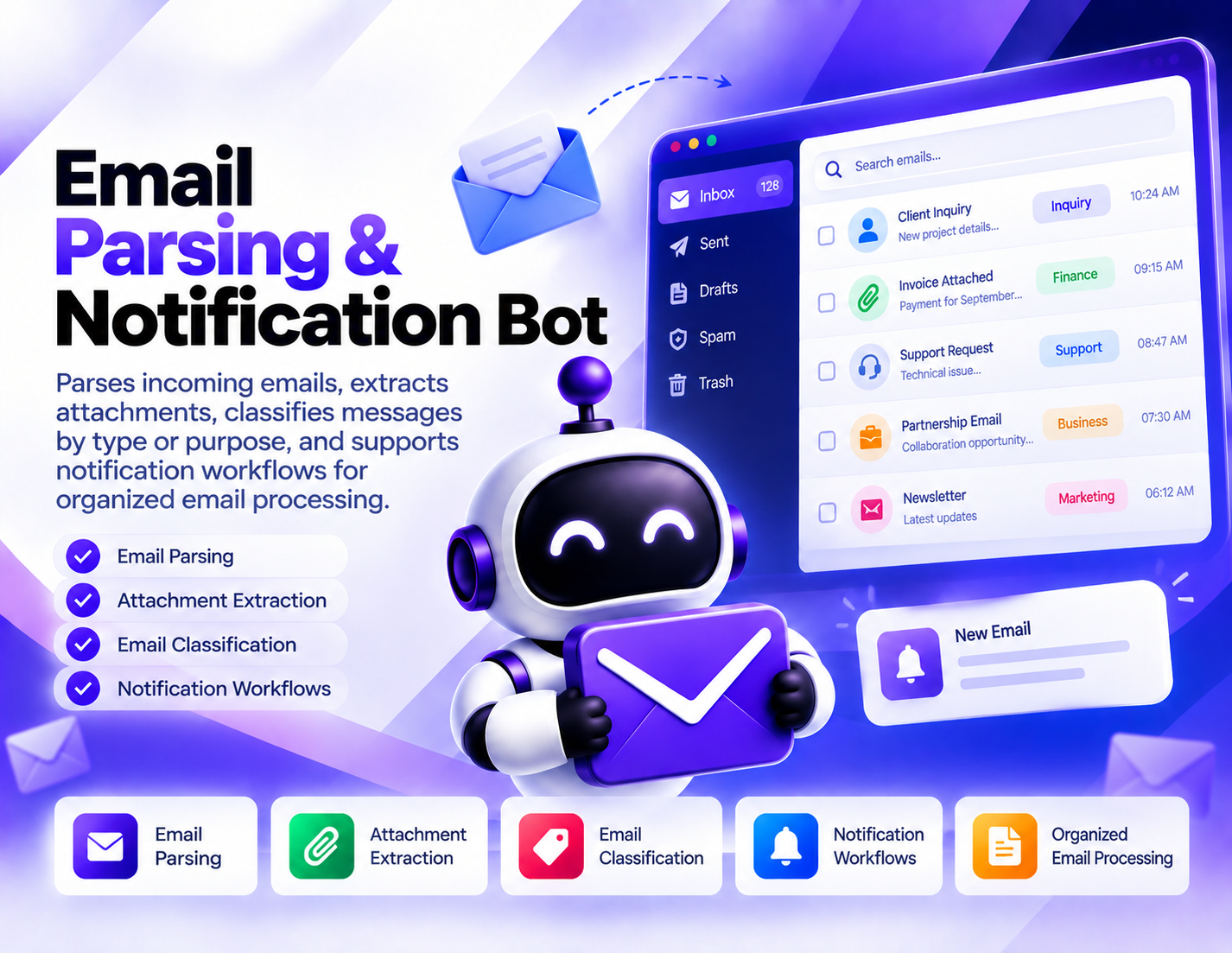
Parses incoming emails, extracts available attachments, classifies messages by type or purpose, and supports notification workflows for organized email processing.
System Ready to run
Platform Windows / macOS / Linux (Python-based, Chrome required)
Version 1.0.0
Email Parsing & Notification Bot
Product Information

Details

Price
$97
Category
Email Automation
Platform
Windows / macOS / Linux (Python-based, Chrome required)
Version
1.0.0
License
Single-Site Commercial License
Updates
Free updates for 6 months
Support
Email Support/Whatdsapp Support
Setup Time
Roughly 5-10 minutes to get running
Requirements
Access to the email inbox or email source you want to process and the permissions required for the intended workflow.
Output Formats
CSV, Excel (XLSX), JSON
Email Parsing & Notification Bot is designed to organize incoming email processing by turning unstructured messages into a more manageable workflow. It can parse incoming emails, identify and extract available attachments, classify messages according to their type or purpose, and support notification workflows based on the processed information. Email parsing can be useful when an inbox receives a large number of messages that need to be reviewed or sorted. Rather than treating every email the same way, the bot can process message information and prepare it for classification or subsequent handling. Attachment extraction provides a separate workflow for emails that contain files. Available attachments can be identified and extracted from processed messages, making it easier to separate email content from the files that arrive with it. Message classification helps organize incoming communication into meaningful categories. Classification can be based on the type or purpose of the message, allowing processed emails to be grouped according to the workflow they belong to. Notification workflows add a way to bring attention to processed messages when notification handling is required. This can help make important email activity easier to surface without requiring every incoming message to be reviewed manually first. The Email Parsing & Notification Bot is useful for teams and individuals who need structured email processing rather than simple inbox reading. It can support workflows involving incoming requests, documents, categorized messages, and notifications while keeping the exact processing logic dependent on the configuration and requirements of the intended workflow.
Features

What’s included

01

Incoming Email Parsing

Process incoming email messages and extract available message information for structured handling.

02

Attachment Extraction

Identify and extract available attachments from processed emails so files can be handled separately from message content.

03

Message Classification

Classify incoming messages according to their type or purpose to make email processing more organized.

04

Purpose-Based Email Sorting

Use message classification to distinguish different categories of incoming communication within a defined workflow.

05

Notification Workflows

Support notification handling for processed email activity when certain messages need to be brought to attention.

06

Structured Email Processing

Combine parsing, attachment extraction, and classification into a repeatable workflow for incoming messages.

07

Attachment-Aware Processing

Keep available email attachments connected to the processing workflow while allowing them to be extracted for separate handling.

08

Organized Inbox Workflows

Reduce repetitive email-processing work by creating a structured approach to handling incoming messages and related files.

Workflow

How it works

STEP 1

Connect the Email Source

Provide access to the inbox or email source containing the incoming messages you want to process.

STEP 2

Receive Incoming Messages

Allow the workflow to process new email messages as they become available in the selected source.

STEP 3

Parse Email Content

Process the incoming messages to identify the available email information needed for the configured workflow.

STEP 4

Extract Attachments

Identify and extract available files attached to the processed emails when attachment handling is required.

STEP 5

Classify Messages

Organize processed emails according to their type or purpose so different kinds of messages can follow the appropriate workflow.

STEP 6

Trigger Notifications

Use the configured notification workflow to bring relevant processed email activity to attention when required.

Use Cases

Use cases

Incoming Request Processing

Organize incoming requests by parsing messages and classifying them according to their purpose.

Document Collection

Process emails containing files and extract available attachments for separate handling or review.

Inbox Classification

Group incoming messages by type or purpose to create a more structured email-processing workflow.

Email-Based Notifications

Use processed email activity to support notification workflows when selected messages require attention.

Administrative Email Processing

Reduce repetitive manual handling of incoming messages by combining parsing, classification, and attachment extraction.

Team Communication Workflows

Create an organized process for handling different categories of incoming email and surfacing relevant activity to the appropriate workflow.

FAQ

Frequently asked questions

It parses incoming emails, extracts available attachments, classifies messages by type or purpose, and supports notification workflows.
Yes. The bot is designed to process incoming email messages through a structured parsing and classification workflow.
Yes. Available attachments can be identified and extracted from processed email messages.
Messages can be organized according to their type or purpose so different categories of email can be handled within a structured workflow.
The bot supports notification workflows for processed email activity. The specific notification method depends on the configured workflow and is not otherwise specified.
Yes. Attachment extraction is one of the bot's core functions and can be used when incoming messages contain available files.
Automatic email replies are not part of the specified functionality. The bot focuses on parsing, attachment extraction, classification, and notifications.
Individuals, teams, and businesses that need organized processing of incoming emails, attachments, message categories, or notification workflows can use it.
Changelog

Version history

Version 1.0.0
2023-11-21
Initial release of this bot.