Review Monitoring & Reputation Management

Google Negative Reviews Reporter Bot

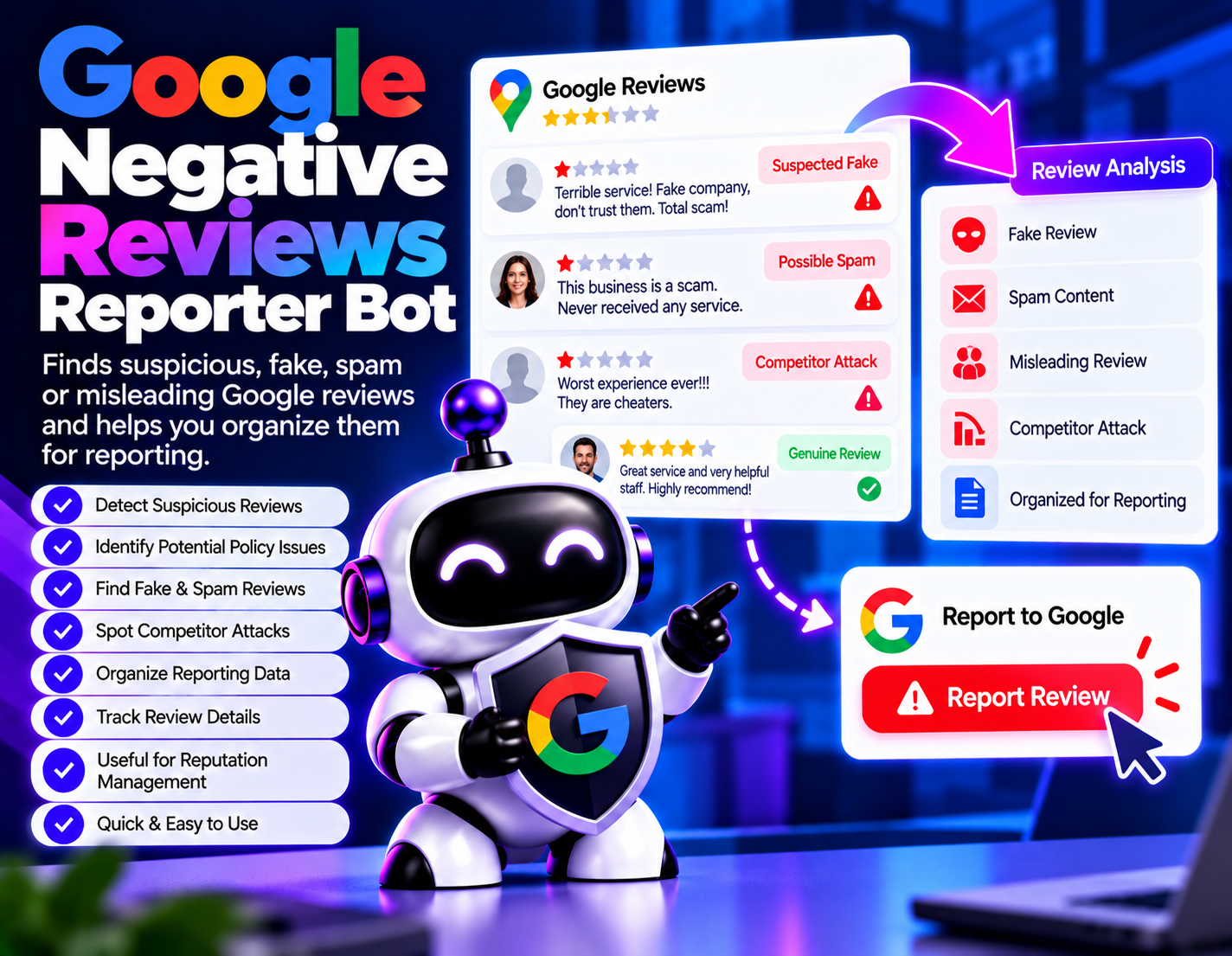
Identifies potentially policy-violating Google reviews, including reviews that appear fake, spam, misleading, or intended to unfairly damage a business, and helps organize them for reporting.
System Ready to run
Platform Windows, macOS, Linux (Chrome required)
Version 1.0.0
Google Negative Reviews Reporter Bot
Product Information

Details

Price
123$
Category
Review Monitoring & Reputation Management
Platform
Windows, macOS, Linux (Chrome required)
Version
1.0.0
License
Not specified
Updates
Free updates for 6 months
Support
Email Support/Whatdsapp Support
Setup Time
Roughly 5-10 minutes to get running
Requirements
Google review data or publicly available reviews that need to be reviewed for potential policy violations.
Output Formats
CSV, Excel (XLSX), JSON
Google Negative Reviews Reporter Bot helps businesses identify Google reviews that may require closer examination because they appear fake, spammy, misleading, or intended to unfairly damage a business. Rather than treating every negative review as a violation, the bot focuses on potentially problematic reviews that may warrant a reporting review. Negative customer feedback can be legitimate and valuable, so simply being critical is not enough to determine that a review should be reported. This bot provides a structured workflow for identifying suspicious review patterns and organizing the relevant information before a report is submitted. This helps separate ordinary negative feedback from reviews that may have characteristics requiring further investigation. The bot can be useful when a business receives reviews that appear unrelated to an actual customer experience, contain suspicious promotional or spam content, seem misleading, or appear to have been created with the intention of unfairly harming the business. Users can review the identified cases and use the organized information when submitting appropriate reports through the available reporting process. Google Negative Reviews Reporter Bot does not guarantee that a review will be removed. Final decisions about policy violations and review removal are made by the relevant platform. The bot's role is to help identify potentially problematic reviews, organize evidence and reporting information, and make the review-reporting workflow easier to manage.
Features

What’s included

01

Suspicious Review Identification

Helps identify Google reviews that may contain characteristics associated with fake, spam, misleading, or otherwise problematic content.

02

Potential Policy Violation Review

Organizes suspicious reviews for closer examination against the types of issues that may make a review reportable.

03

Fake Review Detection Support

Helps flag reviews that appear inconsistent with genuine customer feedback for further human review.

04

Spam Review Identification

Helps separate potentially spam-related reviews from ordinary customer feedback.

05

Competitor Attack Review Screening

Helps identify reviews that appear intended to unfairly damage a business or competitor rather than provide genuine customer feedback.

06

Reporting Data Organization

Organizes suspicious review information so users can review and prepare appropriate reports more efficiently.

07

Review Evidence Tracking

Helps keep potentially relevant review details together when evaluating whether a report should be submitted.

08

Reputation Monitoring Support

Provides a structured workflow for reviewing potentially harmful or policy-violating reviews as part of reputation management.

Workflow

How it works

STEP 1

Collect Review Data

Provide the Google review information that you want to examine for potential policy issues.

STEP 2

Screen Suspicious Reviews

The bot reviews the available information and identifies reviews that may warrant closer examination.

STEP 3

Identify Possible Issues

Review potentially fake, spam, misleading, or unfairly damaging content and identify the reason it may require reporting.

STEP 4

Organize Review Details

Collect the relevant information about each suspicious review into an organized reporting record.

STEP 5

Review Before Reporting

Examine the flagged review and its available context before deciding whether it should be submitted for reporting.

STEP 6

Submit an Appropriate Report

Use the organized information to submit a report through the applicable Google review reporting process when appropriate.

Use Cases

Use cases

Fake Review Investigation

Review suspicious customer feedback that appears inconsistent with genuine customer experiences and organize it for potential reporting.

Spam Review Monitoring

Identify potentially spam-related reviews and keep their information organized for reputation management.

Competitor Review Abuse Screening

Examine reviews that appear intended to unfairly damage a business and organize potentially relevant cases for reporting.

Local Business Reputation Management

Help local businesses review potentially problematic Google feedback as part of an ongoing reputation management workflow.

Agency Review Audits

Give SEO and reputation management agencies a structured process for reviewing suspicious client reviews.

Review Reporting Workflows

Organize potentially policy-violating review cases so businesses can evaluate and report appropriate reviews more systematically.

FAQ

Frequently asked questions

It identifies potentially policy-violating Google reviews and organizes suspicious reviews for review and possible reporting.
No. It helps identify and organize potentially problematic reviews for reporting. It does not guarantee or directly control review removal.
No. A review being negative does not by itself mean it violates a platform policy. The bot focuses on potentially problematic characteristics rather than negativity alone.
It can help identify reviews that appear fake, spammy, misleading, or intended to unfairly damage a business, subject to review and available evidence.
It can help flag reviews that appear suspicious or intended to unfairly harm a business, but users should review the available evidence before submitting a report.
No. Reporting a review does not guarantee removal. The relevant platform determines whether a reported review violates its policies.
Reviewing the available context helps distinguish potentially policy-violating content from legitimate negative customer feedback.
Yes. Agencies can use the workflow to organize suspicious review cases for clients as part of their review monitoring and reputation management activities.
Changelog

Version history

Version 1.0.0
2024-06-24
Initial release of this bot.