By the Seovoro Team · Last updated October 6, 2026
Key takeaways
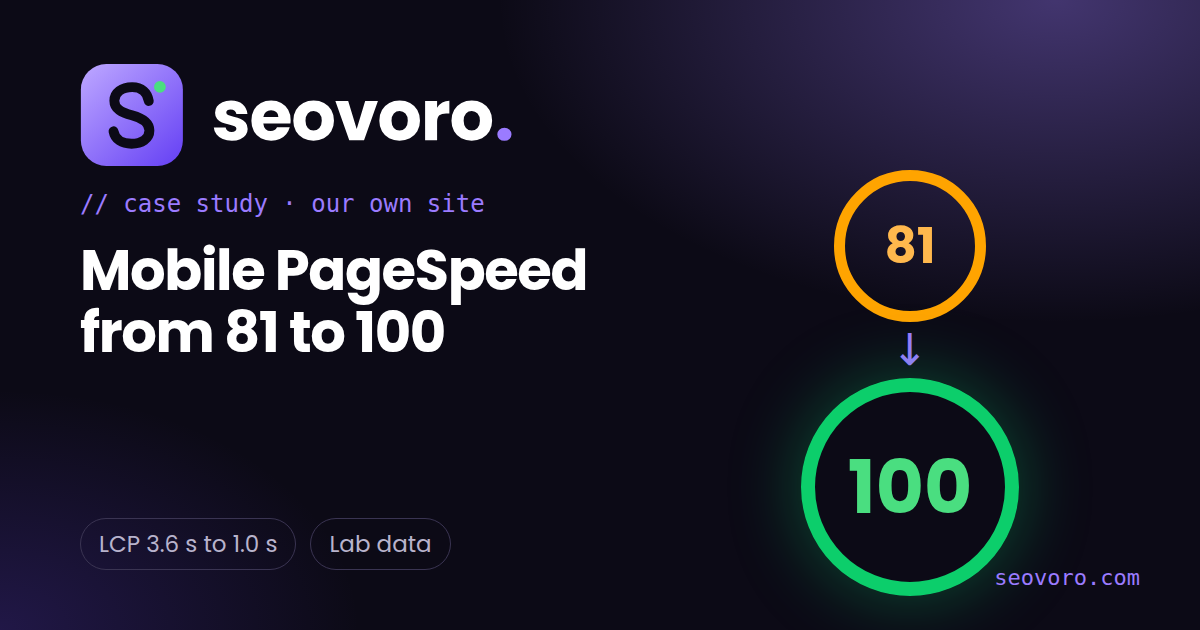
- Our own site scored 81 on mobile PageSpeed in October 2026. After one targeted fix it scored 100 in Google's PageSpeed Insights.
- Largest Contentful Paint (LCP) went from 3.6 seconds to 1.0 second in lab tests.
- The cause was not the server or the code. It was fonts and icons loaded from other websites.
- These are lab results. We do not have real-user data yet, and a fast page does not guarantee rankings.
We build SEO tools and sell technical SEO, so we hold our own website to the same standard. In early October 2026 our new site had an almost perfect score on desktop, but its mobile score sat around 80. This is how we found the cause, what we changed and what the numbers looked like afterwards, including the limits of the result.
In this case study
- Where we started
- How we found the cause
- What we changed
- The results
- What this does not prove
- How to check your own site
- Frequently asked questions
- Sources
Where we started
On October 4, 2026 our homepage scored 81 for Performance on mobile in Google PageSpeed Insights. SEO and Best Practices were already 100, Accessibility was 93, and Cumulative Layout Shift and Total Blocking Time were both zero.

Our own Site Speed Tester reported the same story. LCP and First Contentful Paint (FCP) were both 3.6 seconds, while Google considers 2.5 seconds or less good for LCP. Server response time was only 57 ms, so the server was not the problem.
How we found the cause
Interactivity and layout stability were perfect, and the server was fast, so something was delaying the first paint. We suspected the fonts and icons, because they were loaded from other websites (Google Fonts and a public icon library), and the mobile test simulates a slow 4G connection.
To check, we made a test copy of the homepage with those two external requests removed, and ran it through the same tool. It scored 100. That was the evidence we needed: the external fonts and icons were holding back the first paint, and nothing else was.
What we changed
- Self-hosted the fonts. We created small Latin-only versions of our three typefaces (five files, about 110 KB in total) and serve them from our own domain, using
font-display: swapso text appears straight away. The two most important files are preloaded. - Loaded the icon stylesheet after the page. Icons are not needed to read the page, so their stylesheet now loads once the page has finished loading.
- Reserved space for icons. Each icon has a fixed size from the start, so nothing jumps when the icons arrive and layout shift stays at zero.
- Minified the main stylesheet. A small saving, and we confirmed with before and after screenshots that the design did not change.
The trade-off is honest and small: icons appear a moment after the text. For a page that mostly needs to be read, we think that is the right order. The ideas follow Google guidance on fast loading and font handling, listed in the sources below.
The results
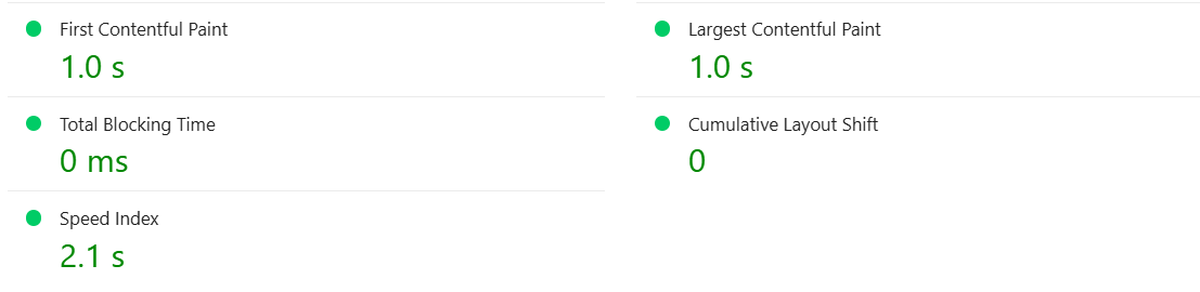
| Measure (mobile, lab) | Before | After |
|---|---|---|
| Performance score | 81 | 100 |
| Largest Contentful Paint | 3.6 s | 1.0 s |
| First Contentful Paint | 3.6 s | 1.0 s |
| Total Blocking Time | 0 ms | 0 ms |
| Cumulative Layout Shift | 0 | 0 |
| SEO / Best Practices | 100 / 100 | 100 / 100 |

What this does not prove
- It is lab data. PageSpeed Insights simulates a slow phone and network. Real visitors on different devices will see different numbers.
- We have no real-user data yet. The report says no field data is available because the site is new and has little traffic.
- It does not guarantee rankings. Speed is one of many factors. It helps visitors and removes a technical weakness, but content, links and trust matter far more.
- It is not perfect. Our Accessibility score is still 93, and we have more to fix there.
How to check your own site
- Run your page through our free Site Speed Tester and note LCP, FCP and server response time.
- If the server is fast but the first paint is slow, look for resources loaded from other domains, such as fonts, icon libraries and widgets.
- Test a copy of the page without them. If the score jumps, you have found the cause.
- Host fonts yourself, keep only the weights you use, and avoid loading anything unnecessary before the first paint.
- Run the test again and keep the before and after results.
For a full review of speed, crawling and indexing, request a technical SEO audit. You can also run our free Site Audit on any page right now.
Frequently asked questions
Why did the mobile score start lower than desktop?
Mobile tests simulate a slower phone and connection, so extra requests to other websites cost much more time there than on desktop.
Is a score of 100 necessary?
No. A good score helps, but real-user experience and the quality of your content matter more. We shared this because the process is useful and repeatable.
Will faster pages rank higher?
Page experience is one of many signals. A faster page helps visitors, but it will not outrank better, more helpful content by itself.
Is self-hosting fonts always better?
Often, for speed and privacy, but it means you manage the files and licences. The fonts we used allow self-hosting under the SIL Open Font License.
What is a good LCP?
Google considers 2.5 seconds or less good. Ours was 3.6 seconds before the change and 1.0 second after it, in lab tests.
Can you do this for my website?
Yes, as part of a technical SEO audit. We always test and keep before and after evidence, as we did here.
Sources
- web.dev: Largest Contentful Paint (LCP)
- web.dev: Optimize Largest Contentful Paint
- web.dev: Best practices for fonts
- Google PageSpeed Insights, run on October 4 and October 6, 2026
Want results like this for your site? Request a free technical SEO audit or explore our SEO services.
Written by Seovoro SEO Team
SEO, AEO & AI Search specialists at Seovoro. View author profile